Customizer reference
Everything editable without touching code lives at Appearance → Customize. The theme adds seven sections under the standard WordPress ones. This doc lists every field, where it renders on the front-end, and any gotchas.
Open the Customizer at /wp-admin/customize.php (or click Customize from the top-bar when logged in).

Site Identity (WordPress default section)
- Site title — used as the header logo (rendered as "ToolPlaybook" with the second word tinted, if the brand-split setting is on)
- Tagline — not shown on the front-end by this theme (safe to leave blank)
- Site icon — the browser tab favicon
ToolPlaybook · Branding
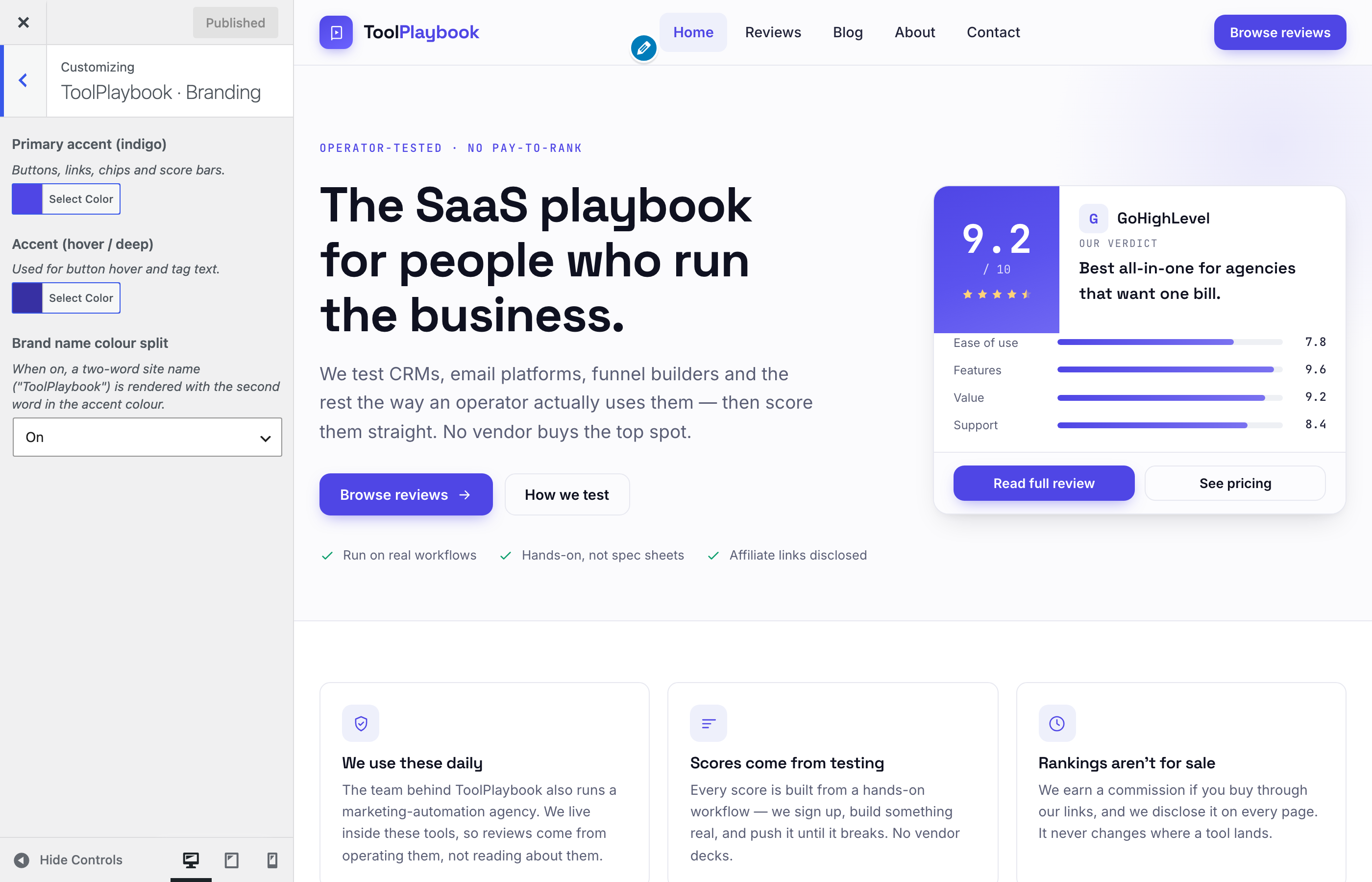
- Primary accent (indigo) — colour picker. Drives buttons, links, chips, score bars, active states. Default
#4F46E5. - Accent (hover / deep) — the darker shade used on button hover and small tag text. Default
#3730A3. - Brand name colour split — dropdown (On / Off). When on, a two-word site name like "ToolPlaybook" renders with the second word in the accent colour. Turn off if you want the whole name in the ink colour.
Gotcha: the accent colour flows into CSS variables (--indigo, --indigo-tint) that dozens of components use. Picking a colour with poor contrast against white will make chips and score bars hard to read. Stick to something in the same lightness range as #4F46E5.
ToolPlaybook · Homepage hero
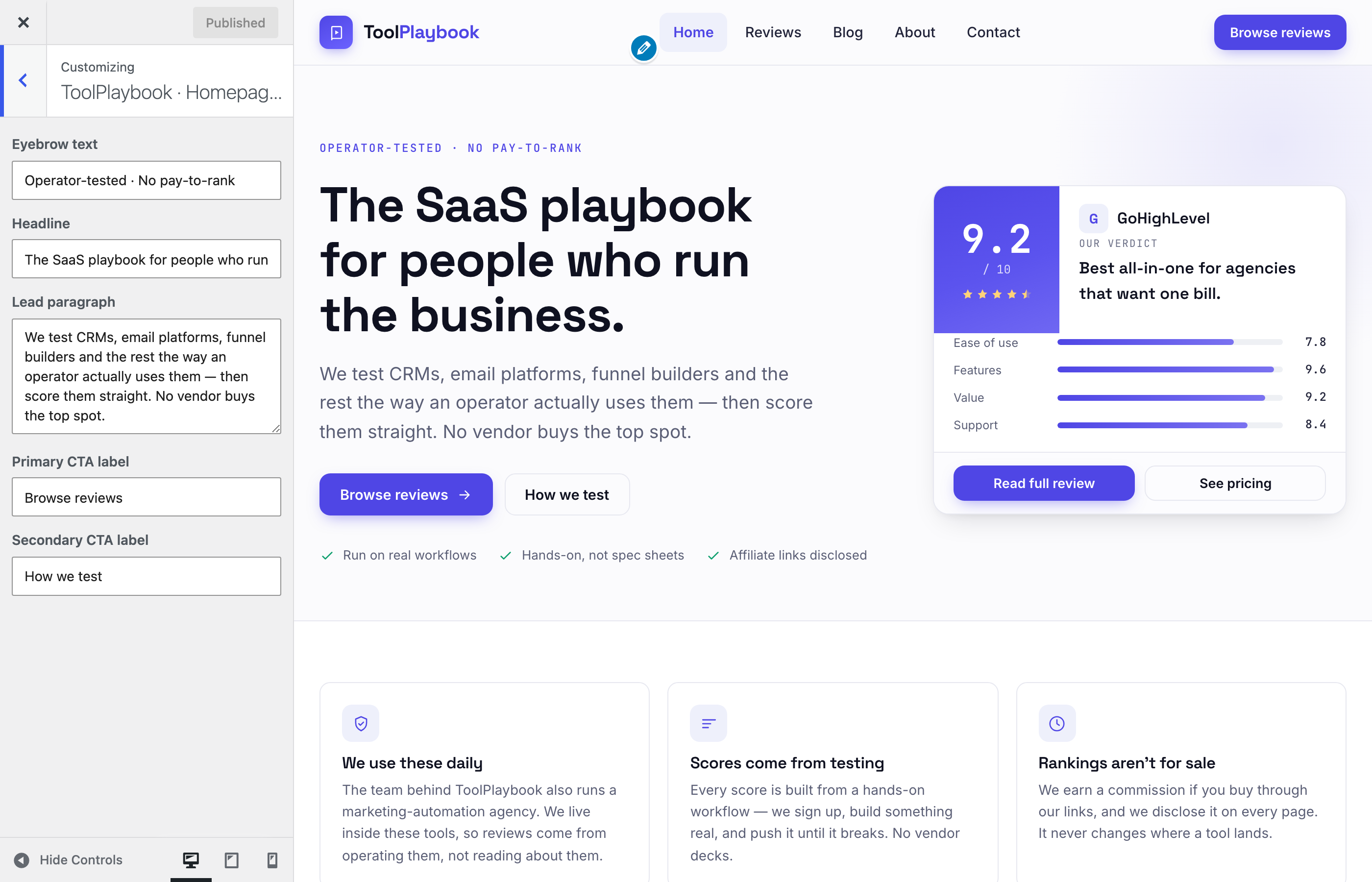
Every field here overrides the default copy on the homepage hero. Leave empty to fall back to the prototype defaults.
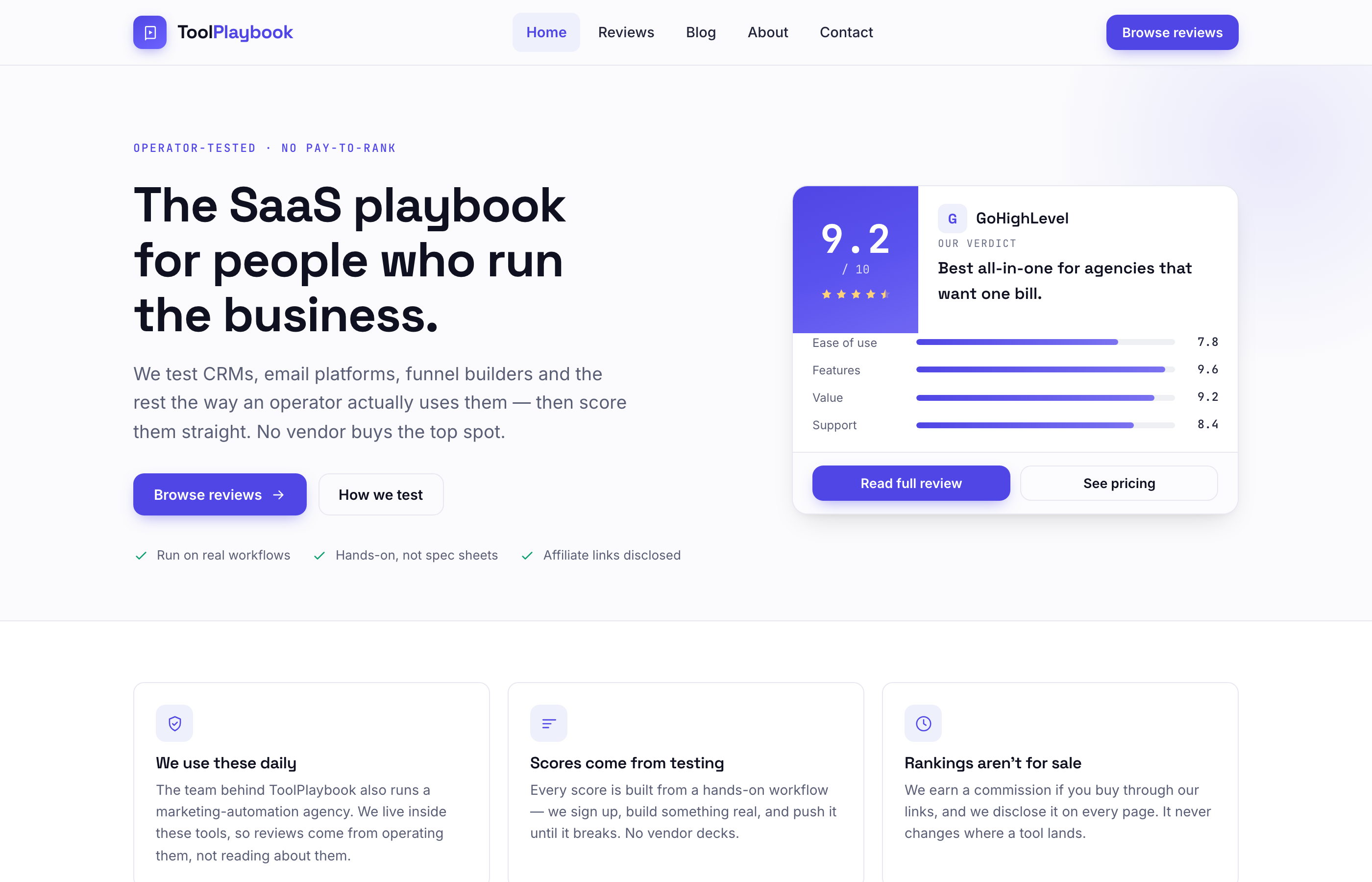
- Eyebrow text — small caps line above the headline (default: "Operator-tested · No pay-to-rank")
- Headline — the h1 (default: "The SaaS playbook for people who run the business.")
- Lead paragraph — the intro paragraph. HTML allowed via
wp_kses_post. - Primary CTA label — the indigo button (default: "Browse reviews"; button always links to
/reviews/) - Secondary CTA label — the ghost button (default: "How we test"; button always links to
/about/)
The five fields above map to these regions on the homepage:
Content model note: if you create a page at slug home (via Pages → Add New), its editor content is not used — the hero always renders from these Customizer fields. Only front-page.php runs here.
ToolPlaybook · Disclosures
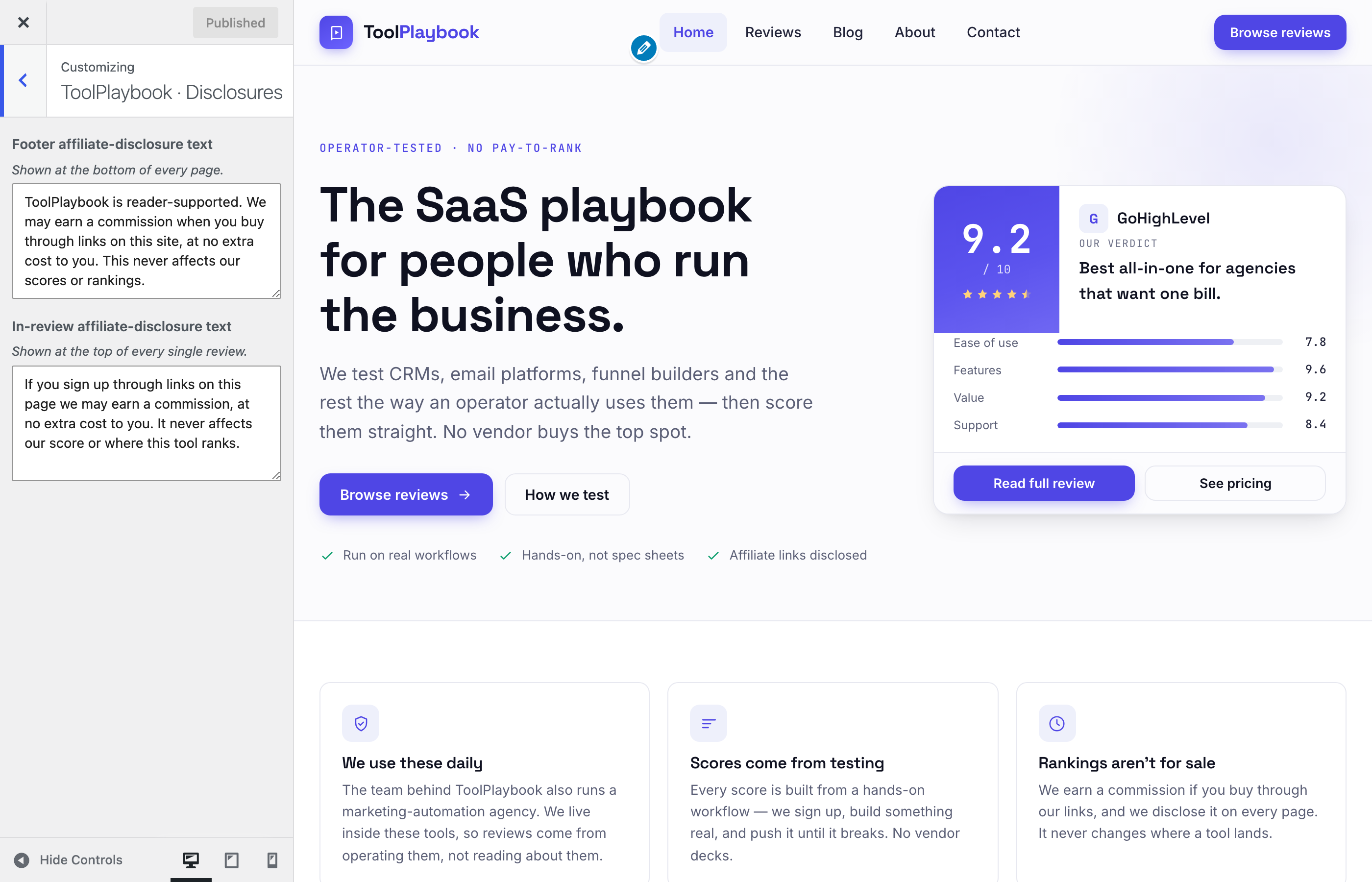
- Footer affiliate-disclosure text — the boxed line at the bottom of every page. HTML allowed via
wp_kses_post. Default is the FTC-safe wording. - In-review affiliate-disclosure text — the smaller notice shown at the top of every single review, above the overview. HTML allowed via
wp_kses_post.
Both fields honour markdown-style bold if you wrap in <b> or <strong>.
Gotcha: if you clear either field entirely, that disclosure block disappears from the front-end. Compliance-wise, that's not what you want. Keep both filled.
ToolPlaybook · Footer
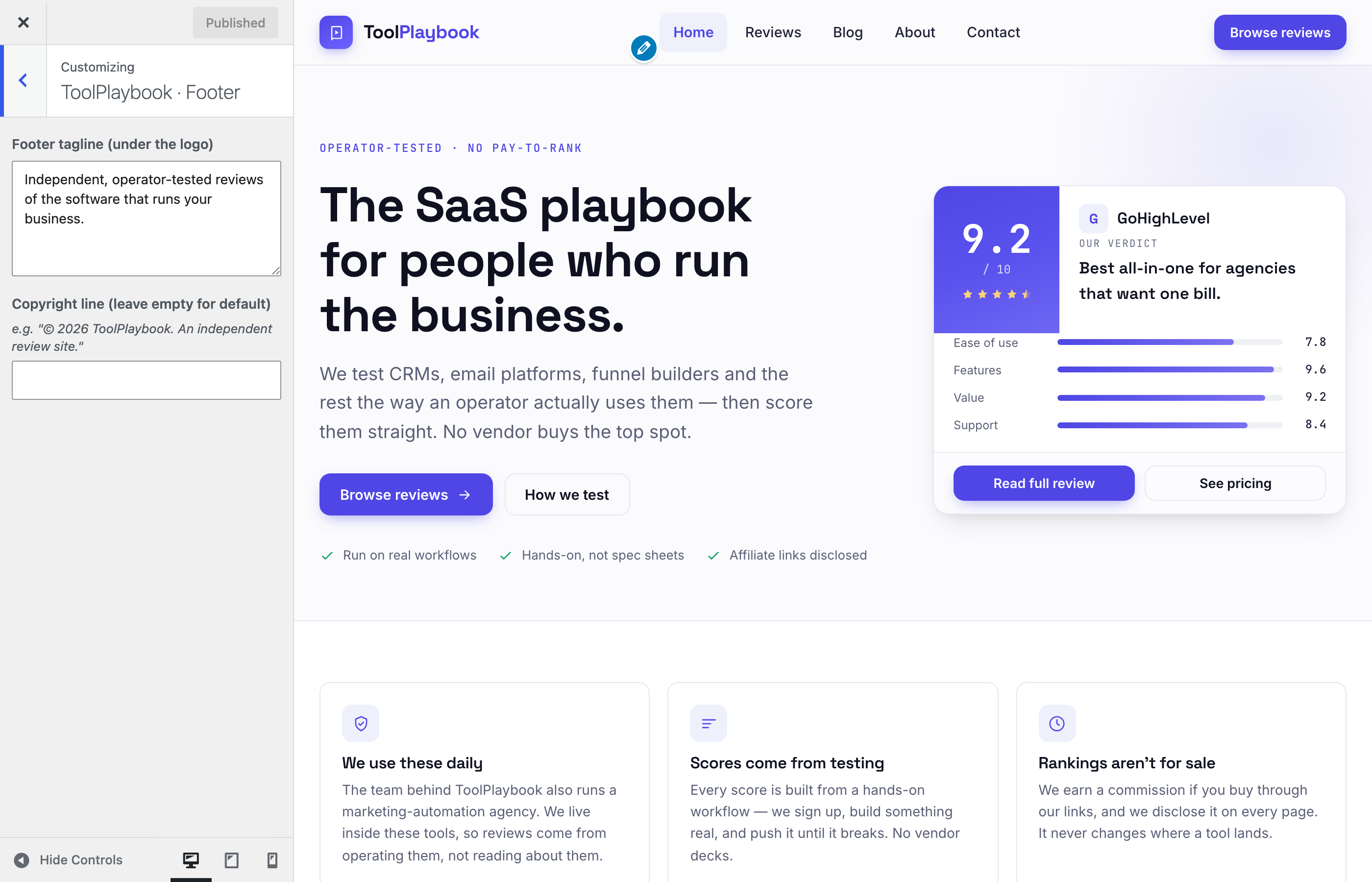
- Footer tagline (under the logo) — the descriptive paragraph in the first footer column (default: "Independent, operator-tested reviews of the software that runs your business.")
- Copyright line — the "© 2026 ToolPlaybook..." line at the very bottom. Leave empty to use the default (which auto-updates the year).
ToolPlaybook · Top strip
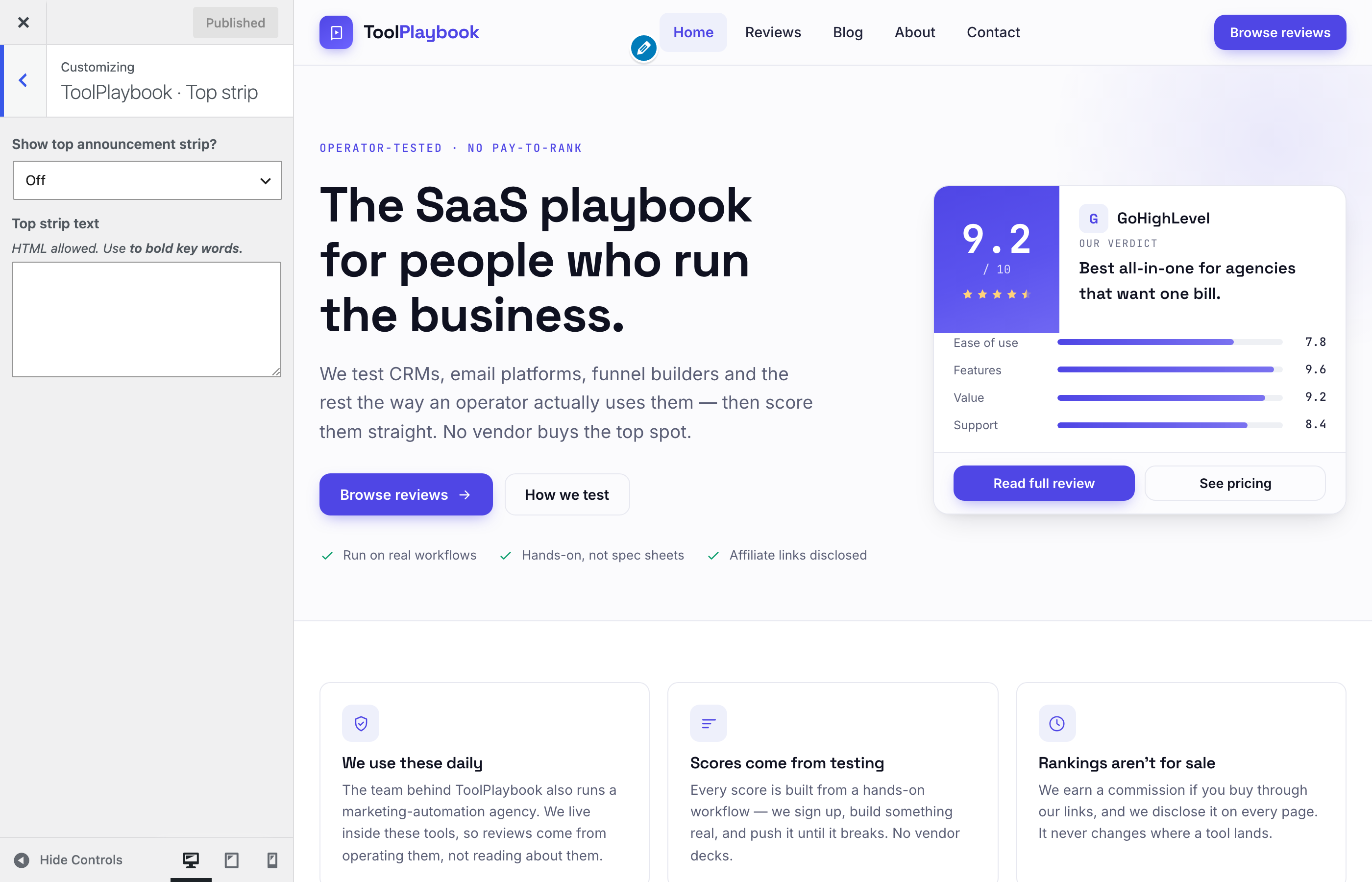
An optional announcement bar that renders above the main header on every page (for promos, launch messages, freeze notices, etc.).
- Show top announcement strip? — dropdown (Off / On). Off by default.
- Top strip text — the message. HTML allowed. Use
<b>for bold key words. If Off is selected, this field is ignored (the strip never renders).
Example content: <b>Launch week:</b> Try our new CRM comparison tool → <a href="/reviews/">Browse reviews</a>
Blog Sidebar
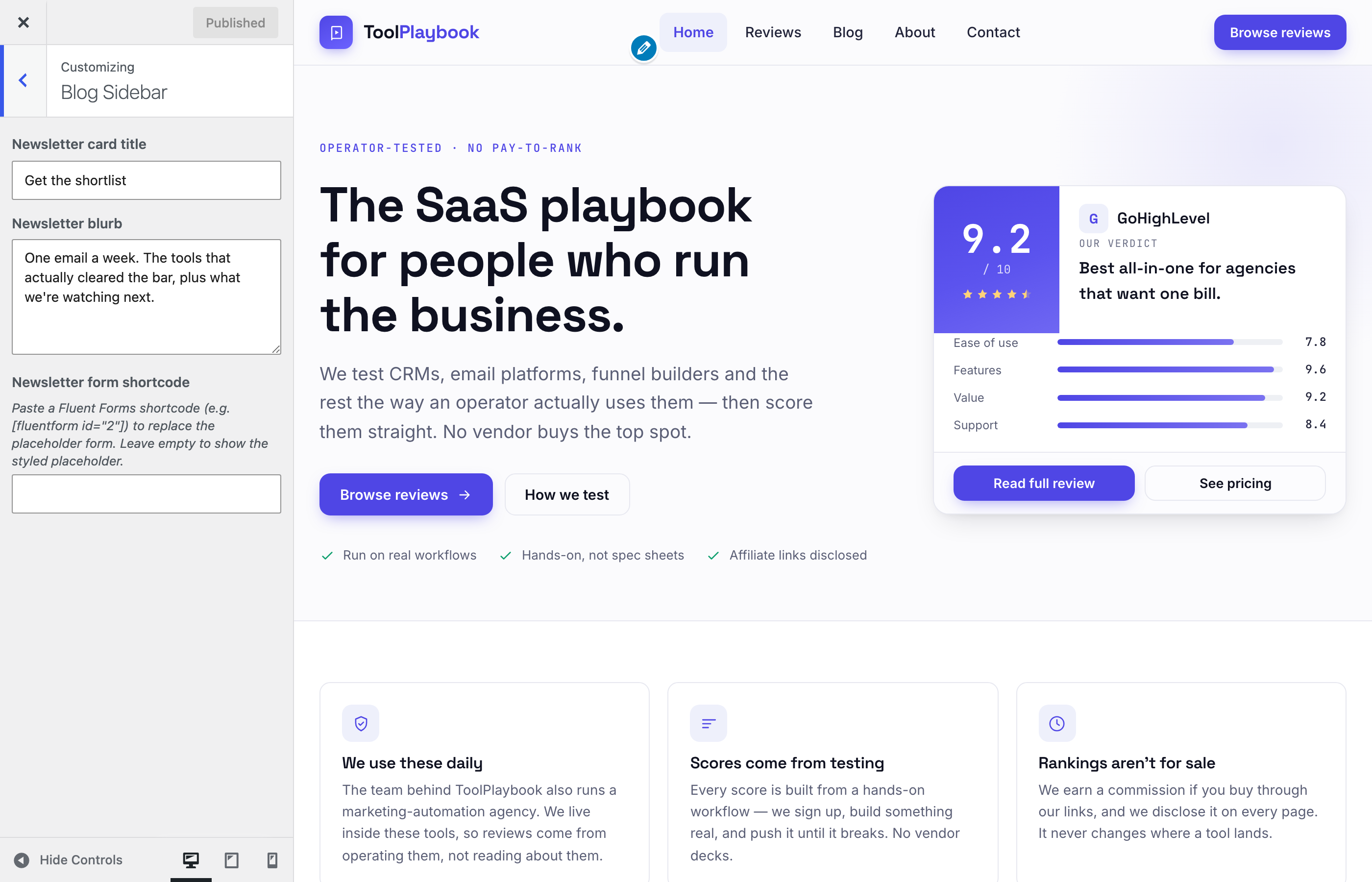
Controls the sidebar next to every single blog post. Not shown on single reviews or archives.
- Newsletter card title — heading on the newsletter card (default: "Get the shortlist")
- Newsletter blurb — descriptive paragraph under the title (default: "One email a week...")
- Newsletter form shortcode — paste a Fluent Forms or Fluent CRM shortcode here (e.g.
[fluentform id="5"]or[fluentcrm_signup id="1"]) to replace the placeholder form with a real one.
If the shortcode field is empty, the sidebar renders a styled placeholder form — visually identical, non-functional (does nothing on submit).
For the full step-by-step setup (create list → create form → wire integration → paste shortcode), see Newsletter setup.
Featured reviews mini-list: not editable. Always shows the top 3 reviews by Overall score.
Homepage Subscribe
Controls the full-width subscribe band that renders in two places:
- The bottom of the homepage
- The bottom of the blog index page
Both share the same settings — edit once, updates in both spots.
- Show subscribe section on homepage — Yes (default) or No. Set to No to hide the band in both places.
- Headline — the big headline (default: "Get the shortlist in your inbox")
- Subcopy — the paragraph under the headline
- Form shortcode (Fluent CRM / Fluent Forms) — paste a Fluent Forms or Fluent CRM shortcode. Empty = styled placeholder (visual only, no submissions).
- Small note (below form) — the fine print under the form (default: "No spam. Unsubscribe anytime.")
Same shortcode field pattern as the Blog Sidebar section. You can use the same form in all three spots, or duplicate the form and use different tags to track signup source. See Newsletter setup for the full walkthrough.
The theme automatically re-enables Fluent Forms / Fluent CRM CSS and JS on the homepage and blog index when a form shortcode is set here — otherwise those assets are stripped for PageSpeed.
Menus (WordPress default section)
- Primary menu — assigned to the "Primary" location. Renders in the header (Home / Reviews / Blog / About / Contact by default).
- Footer menu — assigned to the "Footer" location. Renders in the footer's SITE column.
If a menu isn't assigned to a location, the theme falls back to a set of default links (Home / Reviews / Blog / About / Contact). To customize, create a menu at Appearance → Menus and assign it to Primary or Footer.
The footer's "CATEGORIES" column pulls automatically from the review_category taxonomy — it's not menu-configured. Add/rename Review Categories to change it.
Widgets (WordPress default section)
No widget areas are registered. The theme doesn't use them — sidebars are custom-rendered in template-parts/post-sidebar.php. Ignore this section.
Homepage Settings (WordPress default section)
- Your homepage displays — set to A static page
- Homepage — leave empty or set to a page called
Home(the theme usesfront-page.phpregardless) - Posts page — must be set to a page called
Blogfor/blog/to work as the blog index
Gotcha: if "Posts page" is not set, /blog/ will 404 or render a stub page. This tripped up staging once. Always set it.
Additional CSS (WordPress default section)
Add custom CSS here if you need one-off overrides. Loaded after the theme's theme.css, so anything here wins.
What is NOT in the Customizer
Some things live in code and aren't Customizer-editable by design:
- Featured Reviews sidebar list — auto-generated by Overall score DESC. To reorder, adjust scores.
- Top-scored tools right now (homepage section) — same. Score-driven.
- Category chip labels — set in
inc/template-tags.phpviatpb_category_short_label(). If you rename a Review Category, its short label may drift. Edit the map if needed. - Footer categories column — pulls from Review Categories automatically. Add/rename terms to change it.
- Comment count / discussion prompt copy — hardcoded in
comments.php. Small edit if you want to change it.
If any of these become common asks, they can be lifted into the Customizer as a follow-up.